
Here's My AI Context System
I’ve been writing about my AI “memory system” for a while now. The first post covers the why, and it links through to the rest of the series if you want the full picture. Since those original posts, both companion tools, “obs-transcriber ” (which handles meeting transcriptions) and “slacksnap ” (my Slack export browser plugin), have had some decent updates too, so check them out if you reckon they’ll help your workflow.
More recently, I wrote about throwing away a vector/graph database approach in favour of sticking with this plain markdown-based system, and about catching myself writing AI slop , which, frustratingly, means I’m now second-guessing every sentence in this post to ensure I actually sound like me and not ol’mate Claude. 😅
Anyway… the punchline of this post is that I put in some work to create a shareable version of the whole context/memory system. Here’s the repo , and below is me trying to explain how to run it, and why I think the approach still holds up (and in fact, is probably getting better).
File over model
Steph Ango (kepano), the CEO of Obsidian, wrote a short post in 2023 called “File over app ”. The core idea is pretty simple: apps come and go, but your files (your “digital artifacts”) should outlast them.
If you want your writing to still be readable on a computer from the 2060s or 2160s, it’s important that your notes can be read on a computer from the 1960s.
Plain text files are about as basic as we can get. Markdown is a very widely used plain text file structure, and importantly doesn’t need a special app to open.
Markdown
I’d been thinking along those lines already when I found that post, but it made something click for me.
When I added Obsidian to the stack for easy “browse-ability” of my files, the specific app wasn’t really the point. I’d used Logseq for years before the “AI age” and it would also work well here. What mattered was that Obsidian operates on plain files sitting in a directory. If the app disappears tomorrow, I’ve still got readable files. Markdown also seems to be the standard used by all LLMs right now (for prompts, instruction files, etc).
The same logic extends to AI models. I think of it as “file over model”. The markdown files in my system should work with Claude, GPT, Gemini, local models, and whatever might show up next month. There’s no embedding format to regenerate or fancy data stores to rebuild when you switch providers, just text files in folders.
I use the “Desktop Commander ” MCP a lot, and their blog put it plainly: vector search is overkill for most personal knowledge bases . DigitalOcean published a whole tutorial on RAG without embeddings . I covered my own experience with this in the “throwing away” post , so I won’t rehash it here. But the consensus is shifting: for small-scale personal knowledge, plain files are enough, and often better.
What’s changed since I started building this is how much better the models have gotten at using those files. And I don’t just mean bigger context windows, though that helps.
Context window is important, but finding the right context is importanter
Back in mid-2024, I had what is apparently now an actual new type of anxiety; “context anxiety”. My memory and context files were maybe 60KB, and fitting them into a conversation alongside the actual work felt tight. I was often juggling which files or MCP tools to load, what to leave out, etc.
There’s a lot more headroom these days. Something which I’ve also noticed being talked about more is a model’s NIAH score (“Needle In A Haystack”), which is essentially how good a model is at finding and using the right information stored in its large context window. Recent models (most notably Claude 4.6) have really improved this, and while I don’t have concrete evidence, I think I can “feel” the improvement. Longer conversations, or those containing lots of context (reading multiple files for example) just subjectively feel better to me than they did even a month ago.
But the bigger shift is in reasoning quality. Queries that used to need me to explicitly point the model at specific files, then explain the connection between them, now just work. The model reads the memory index, decides what else it needs, follows the cross-references, and pieces together information from multiple files without me orchestrating every step. Multi-hop reasoning across the context went from “sometimes if you’re lucky” to “reliable enough that it more often feels magic to me”.
Tool use matured in the same window. The slash commands I built, things like /meeting to process a transcript or /memory-update to refresh the memory files, were pretty fragile a year ago. The model would get confused reading the config, skip steps, hallucinate bits, etc. Now they run clean most of the time. Claude Code in particular changed the game; running commands in a proper terminal environment with native file system access makes the whole pipeline feel solid in a way that chat-based interfaces never quite managed (for me at least).
Then there are the native memory features showing up everywhere. Claude Projects, ChatGPT memory, Gemini’s context caching. These sit alongside the file-based system as free “bonus layers”. They don’t replace it yet, but they definitely add to it. The model remembers preferences and past interactions on top of the structured context you’re feeding it. The system doesn’t really need to get smarter because the models are.
Where this fits
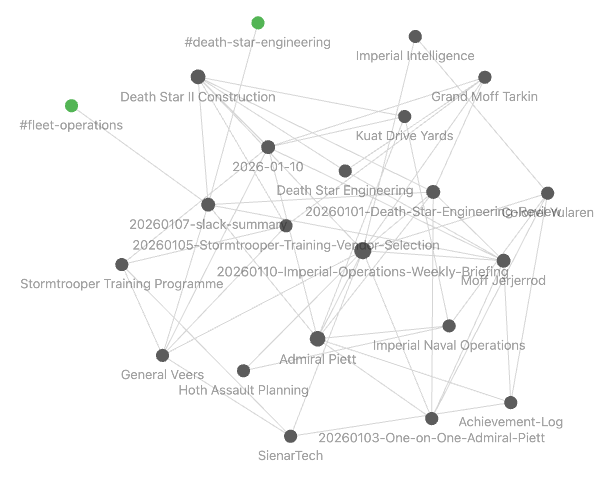
The Obsidian integration turned out more useful than I’d expected. The processing commands apply wikilinks
to everything: people, teams, projects, vendors. Over time, you end up with a knowledge graph that helps you actually find things. Open the Curated-Context directory in Obsidian, switch to graph view, and you can visually browse the connections across your meetings, your team, etc. All for free, no extra effort. It’s the “file over model” payoff; the same files Claude reads, you can navigate visually.
OpenClaw is probably the most currently-viral comparison. Similar problem space of persistent, local memory. But OpenClaw takes it much further, adding always-on autonomy, messaging interfaces, cron-driven automation, and a huge number of integrations. It’s also got well-documented security problems (Cisco published a detailed analysis worth skimming). I’m not saying OpenClaw is bad, and I know a lot of smart people use it productively (and I still want to play with it). But it sits at a very different point on the autonomy spectrum. OpenClaw is closer to ‘AI drives, you sit in the back’. My system is firmly ‘you drive, AI handles the playlist and feeds you snacks’. 😛 Knowledge stays in files on your machine and goes nowhere else. Which approach you want depends on your risk appetite and how much you trust third-party integrations with your personal data.
Geoff Huntley’s Ralph Wiggum is worth a look; different domain (agentic coding loops), but the same core principle that the magic is in the prompts and context structure, not the model. Basic Memory MCP is another project converging on similar ideas via a different mechanism but with lots of overlap: markdown, Obsidian, local-first. There are a lot of tools in this space now, which I think is validating.
Getting it running
Repo setup & Claude Code
The public repo is at github.com/dcurlewis/ai-context-system . It’s a sanitised copy of my actual “live” system, with Star Wars themed dummy data. As an aside this was the first time I’ve actually laughed out loud at what the AI came up with. I asked it to set up a demo system with Darth Vader as COO, which seemed funnier than “Jane Smith, VP of Engineering”. 🤖
Clone it and run setup.sh. That’s it. The script creates your directory structure, makes sure the demo config and data is in place, and gives you something you can poke around in immediately. If you just want to use it for real with your own data, then run setup.sh --clear which will delete the dummy data.
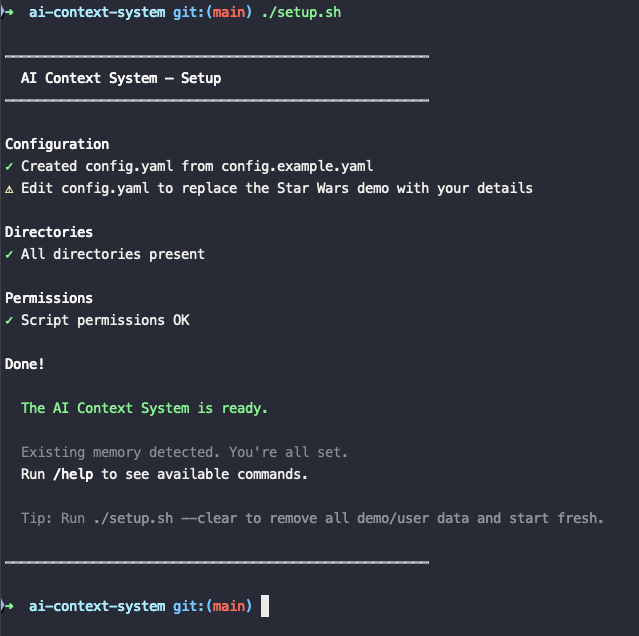
The Star Wars data is the quickest way to understand what the system does without feeding in your own data. There’s a fictional org chart with Vader running operations, memory files summarising the Empire’s strategic direction (galactic domination, mostly), processed meeting transcripts where Imperial leadership argue about Death Star project timelines. It’s ridiculous, but it means most commands produce real output you can inspect.
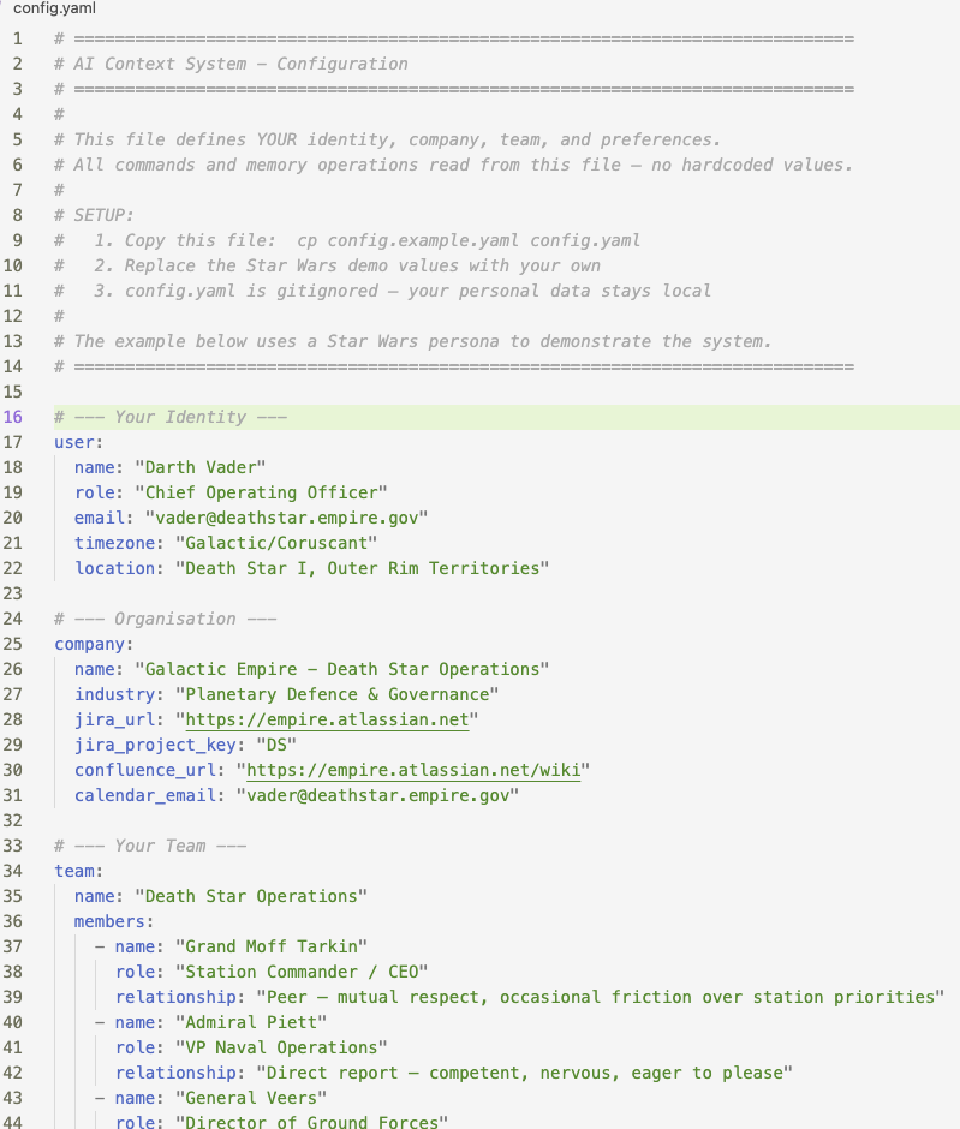
The config file, config.yaml, is where you make it yours. Your name, role, company, team structure - and anything else you want treated as baseline knowledge.
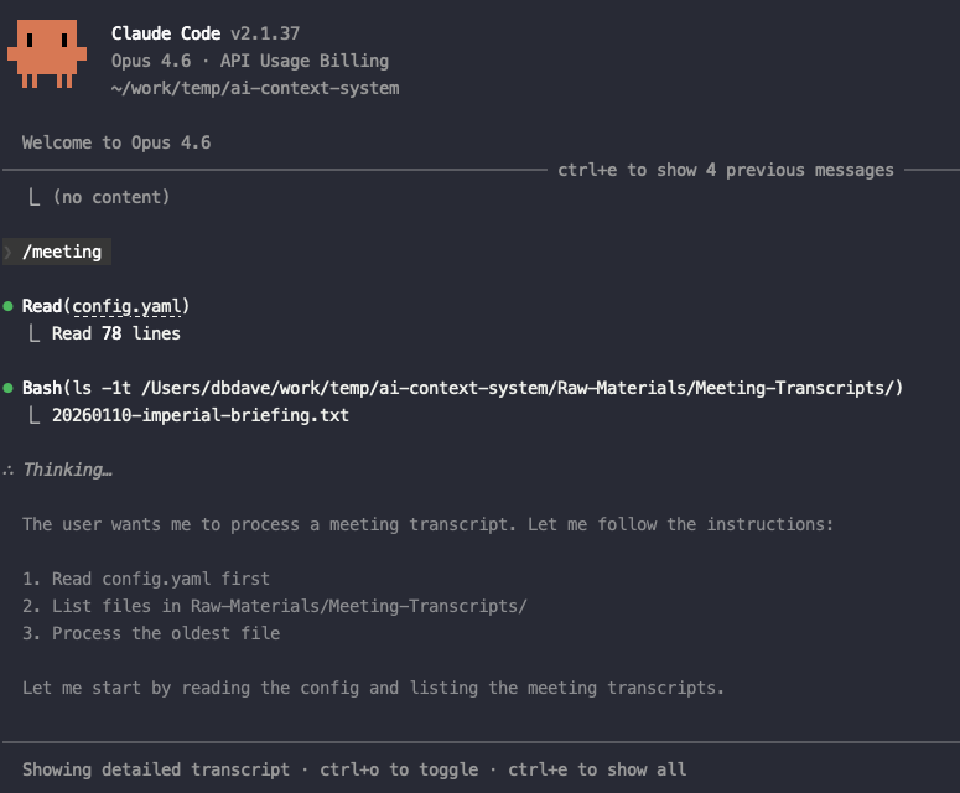
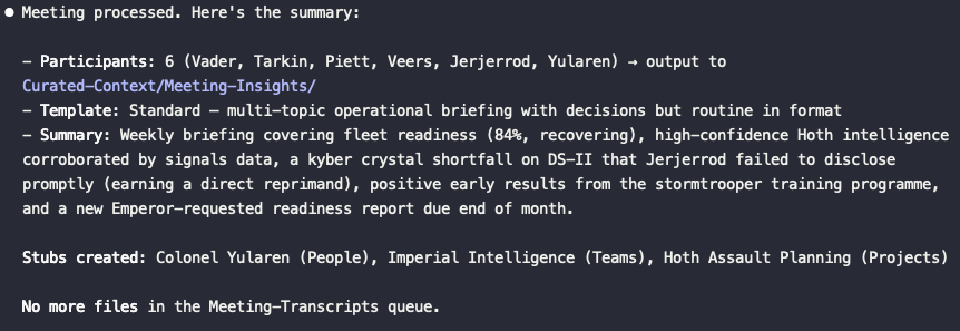
For a first real test, try the meeting command. Drop a transcript into Raw-Materials/Meeting-Transcripts/ (there’s a dummy-data one already there for you), run /meeting, and watch it go. It pulls the oldest unprocessed transcript, identifies participants, extracts decisions and action items, formats everything with Obsidian wikilinks, and saves the result to Curated-Context/Meeting-Insights/. The original transcript gets archived automatically.
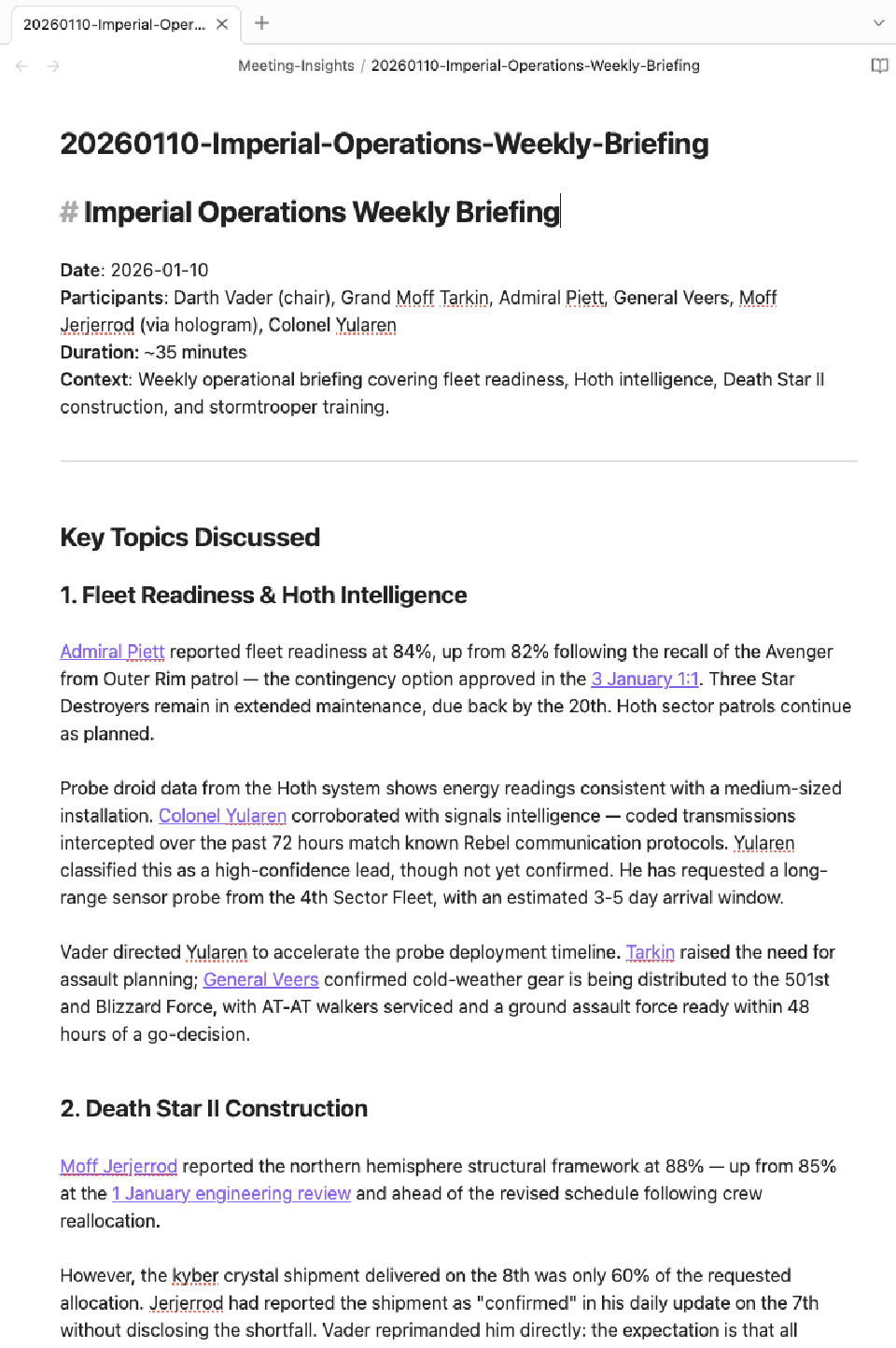
The memory pipeline is where it gets interesting over time. Running /memory-update kicks off a multi-phase process: scan for new files since the last update, extract relevant information into each of the six memory topic files (organisation, strategy, projects, decisions, team dynamics, relationships), consolidate, validate, then promote the updates. It’s what gives the system its actual memory; the aggregation of context into structured summaries that the model reads at the start of every conversation. You can read all about it in the memory consolidation guidelines
.
Obsidian
For Obsidian, just open Curated-Context as a vault. You don’t need plugins beyond the defaults (although there’s a rich ecosystem of plugins you can eventually dig into). The wikilinks create real connections automatically, and graph view shows them visually. After a few weeks/months of processing meetings and documents, the links get super useful for traversing your notes.
Claude Desktop
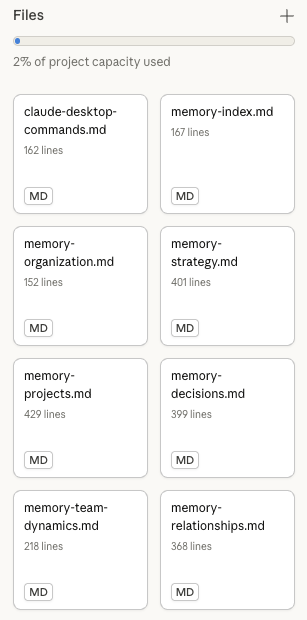
The README also covers Claude Desktop setup. Essentially you need to create a project and update your user and project-specific instructions (based on the samples I provide in the /Prompts directory). Then upload all the Memory/memory*.md files and the claude-desktop-command.md file as project artifacts.
Finally ensure Claude Desktop can read and write to the directory you’re running this from. I use Desktop-Commander which has been rock solid, and offers simple configuration to lock the tool down to only the directories you specify.
I use Claude Code for processing and most commands and Claude Desktop for conversational stuff. Either works for most things, so it comes down to personal preference.
Let me know what you think
My repo is here . Clone it, play with Vader’s org chart, swap in your own config when you’re ready.
If you build something on top of it, I’d love to hear about it. New slash commands, sync connectors for data sources, improvements to the processing guidelines, whatever. CONTRIBUTING.md has details on what’s useful. Issues and PRs both welcome. I use this system every day for my actual job, so have a fair bit riding on it not being crap. 😁
The companion tools, obs-transcriber
and slacksnap
, pair well but aren’t required. They’re how I feed most raw materials into the pipeline using /meeting and /slack commands respectively, but any transcription service or manual copy-pasta works fine too.
Cheers, Dave